A quick light check
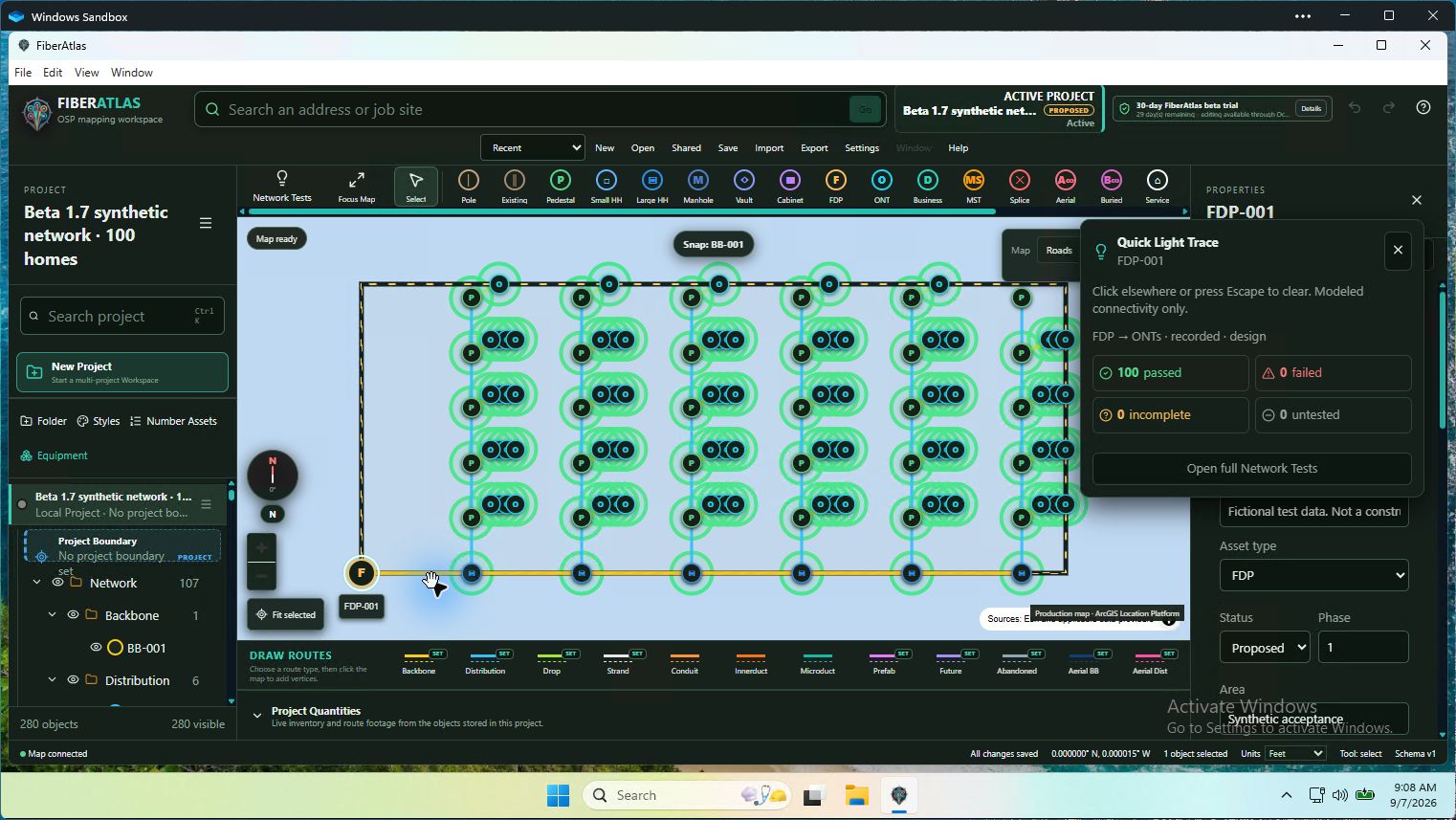
Right-click a supported network item for a temporary Light Trace. See the documented result, then click elsewhere or press Escape to clear it without changing the drawing.
 FIBERATLASBETA HUBTry FiberAtlas ↗
NOW AVAILABLE · BETA 2.0 RC1
Explore the public 14-day Trial. Bring your questions, try the workflows, and help shape what comes next.
Windows 11 · Signed Setup & Portable · Confirm your email to download.
No invitation code or manual approval.
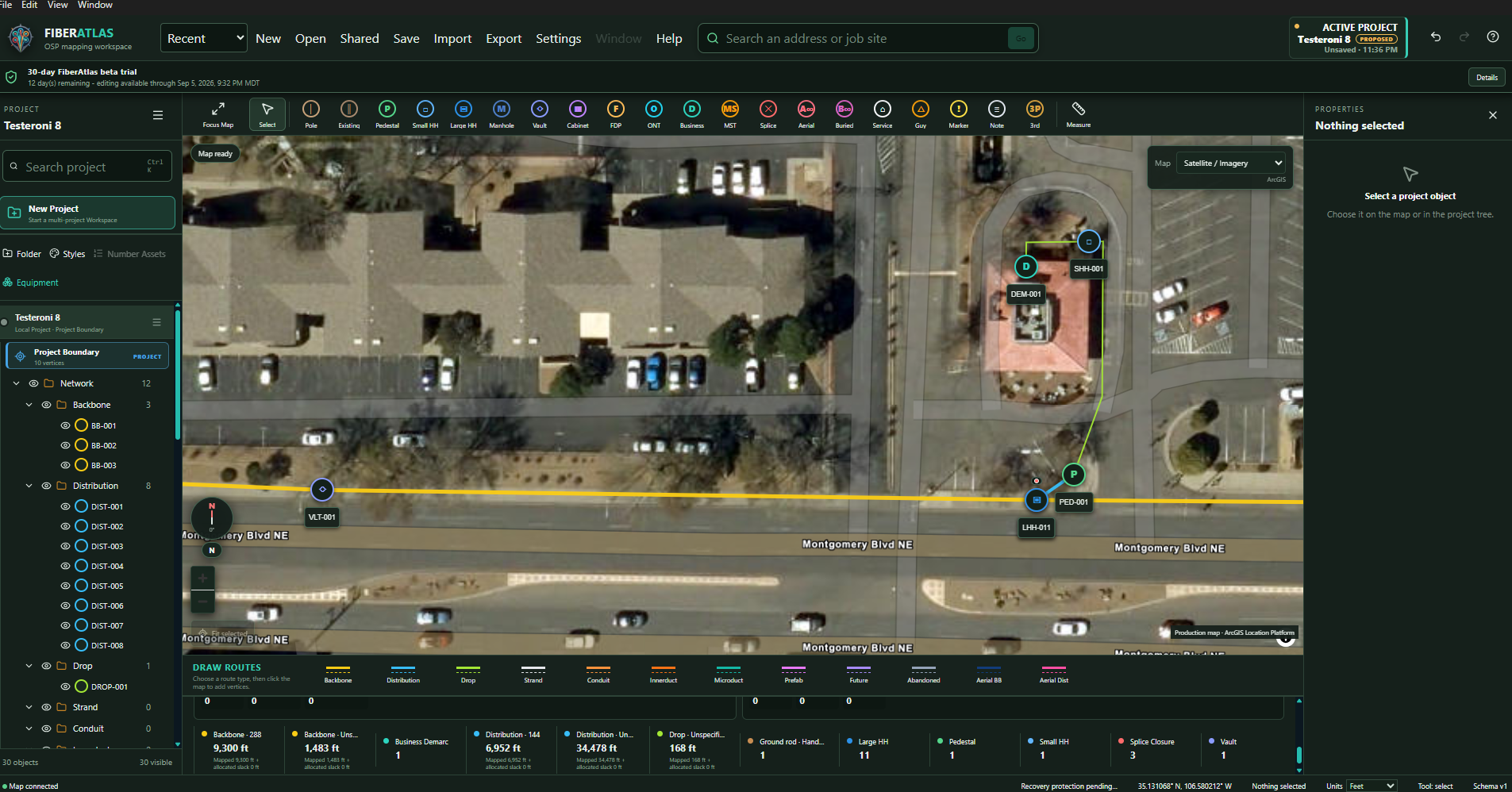
Follow the workflow from your first project to a documented handoff.
LOOK CLOSERRead the release checks, technical details, and known limits.
HELP SHAPE ITEvery Trial user can email a bug, an idea, or what worked well.
The earlier private Beta 1.8 channel remains available to invited testers. Its package details and older manual below describe that separate release. For the current public Trial, use the RC1 links above.
Signed Windows files are ready for invited testers
PDF SHA-256 DCDC51A14C7B5E55D9B77E8A71336D079A7ECF7FFAB9867D218A4CC71918EACAInvited-tester channel
The signed FiberAtlas Beta 1.8 release is available only to active invited testers. Right-click for a quick Light Trace, review forward and reverse network paths, inspect optical-loss inputs, and work in a roomier, adjustable workspace. Downloads remain invitation-only. Use dummy or non-customer data while this controlled preview is tested.
Controlled invited-tester betaIn FiberAtlas Beta 1.8
These capabilities are in the signed, timestamped working preview. It is not a production or engineering-approval release, and the current limitations still apply.
Right-click a supported network item for a temporary Light Trace. See the documented result, then click elsewhere or press Escape to clear it without changing the drawing.
Trace from documented FDP positions toward ONTs, or back from an ONT toward its origin. Review cards, a service table, exact paths, and missing or conflicting records.
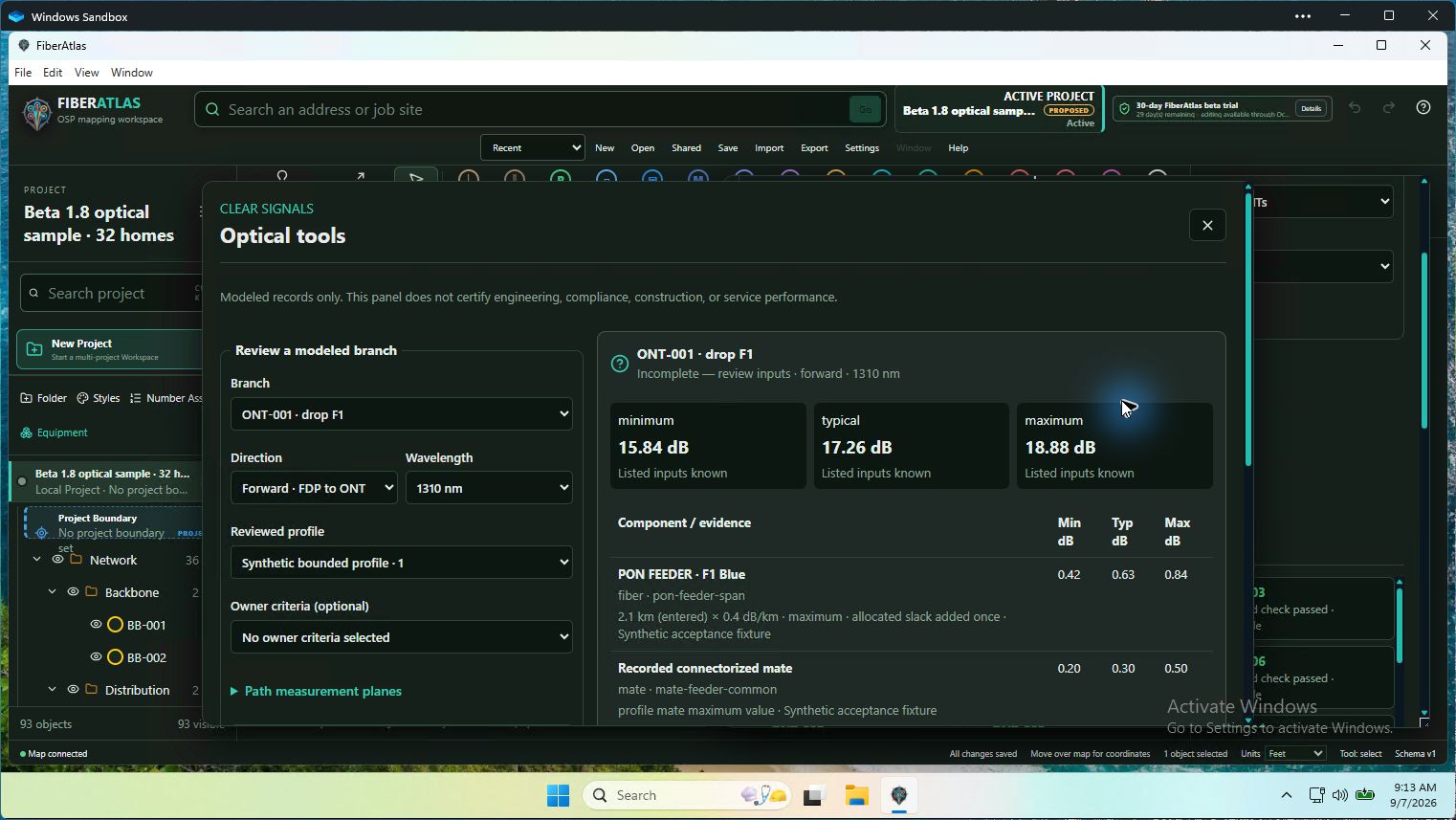
Review itemized minimum, typical, and maximum optical loss for an exact branch, direction, and wavelength. Receiver sensitivity and overload stay separate. Missing inputs remain Unknown, not an automatic pass.
Comfortable is the default; Compact is optional. Resize the project and properties panels, retain useful map space, and keep explanations close without crowding the controls.
Use more of the screen for the workbench, with compact command rows, clearer text, optional side details, and standard fiber and tube colors. Print a recorded splice matrix for one case or a project folder. Suggested drafts and recorded Apply Splices remain distinct.
New packaged users receive 30 days of editing access. After expiry, view, measure, print, and export remain available so project data is not held hostage.
Record explicit cable, closure, tray, fiber, endpoint, and splice relationships while preserving unknown states and source provenance. FiberAtlas does not infer optical continuity from map proximity.
Export WGS84 GeoJSON or a Shapefile ZIP with required sidecars and a manifest. Choose Basic Sharing or Full Record detail and Entire Project or Visible Map Content scope.
Project Quantities starts closed so the map gets the opening workspace. Open or close the totals using the footer button. Map Focus and the read-only Splicing popout remain available.
Setup and Portable are Authenticode-signed and timestamped. App metadata identifies FiberAtlas Software; the current certificate signer is John Philipe Kemmler.
Source regression, production build, signature, embedded-component, and Microsoft Defender checks were completed for these packages. The Setup and Portable hashes shown here identify the only files approved for this invitation-only private beta.
PoleLab development preview
PoleLab is a separate, aerial-only desktop application for mapping pole networks and keeping structures, attachments, terrain context, and field evidence together. It runs on its own; a future exchange will let selected pole records move between PoleLab and FiberAtlas.
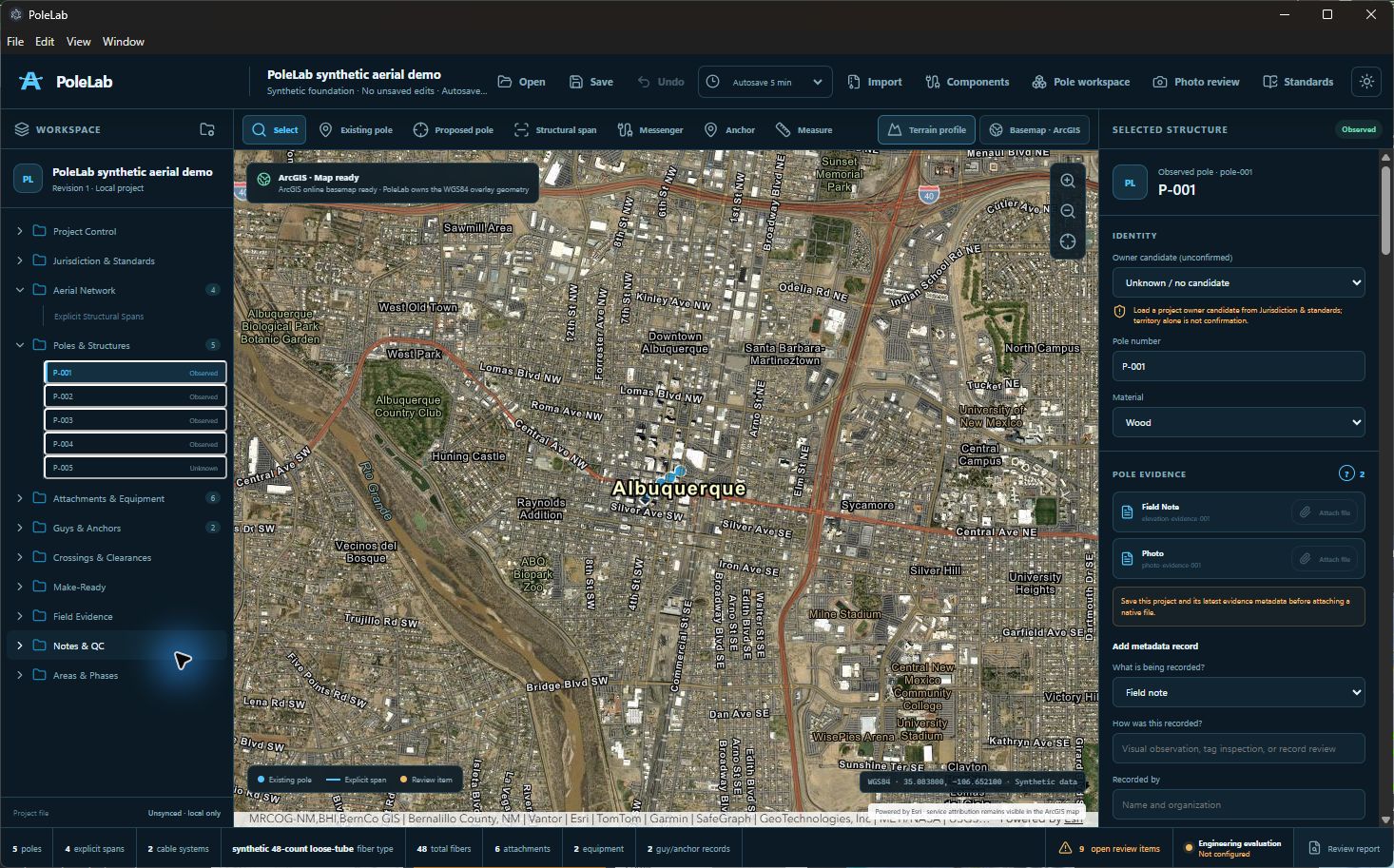
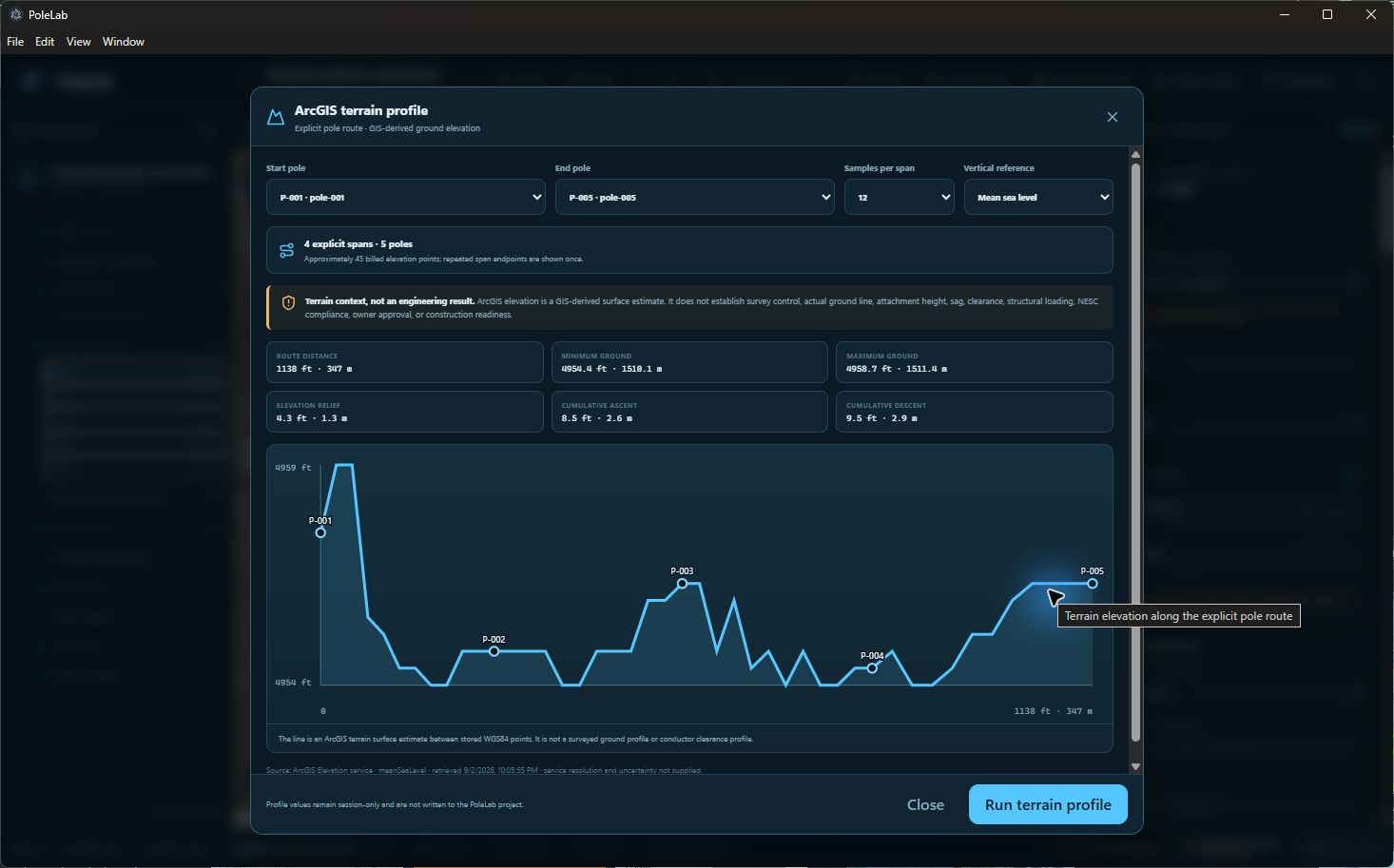
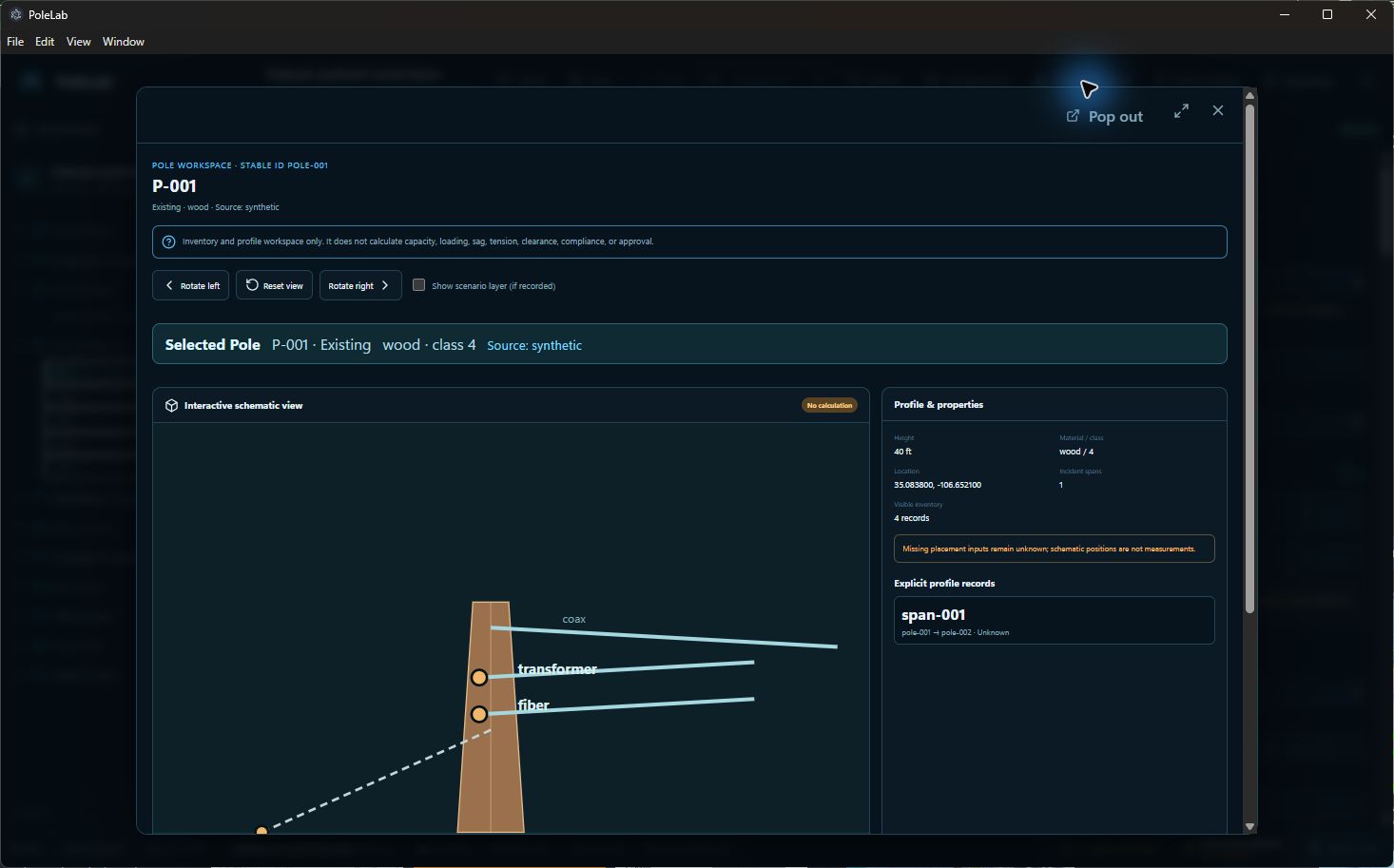
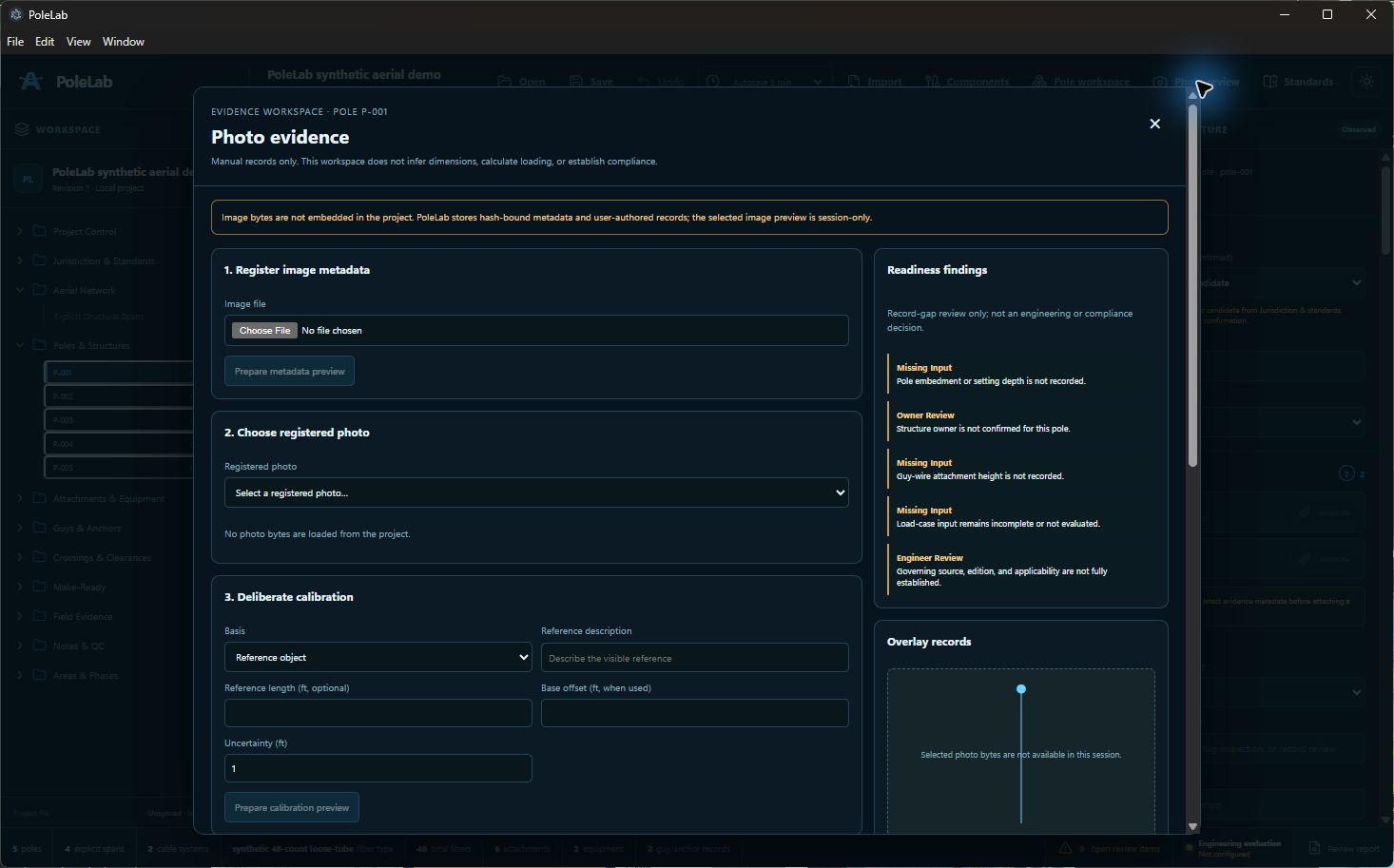
Development preview. PoleLab is not part of the current FiberAtlas Beta 1.8 download.
Next beta milestone
The next tester update will be shaped by evidence from Beta 1.8. The focus is refinement: close reproducible defects, deepen splice review, improve guidance and export choice, and expand multi-window workflows without weakening local ownership or transparent unknown states.
Triage reproducible Beta 1 issues by impact, fix the smallest safe root cause, and require focused regression plus packaged retest before closure.
Improve visual allocation, tray and container detail, recorded-path review, and missing-record visibility without inferring continuity or engineering approval.
Explore finer field selection and richer KMZ description choices while preserving dependable Shapefile ZIP and GeoJSON output contracts.
Refine the shipped Comfortable and Compact layouts using tester feedback, especially monitor scaling, keyboard access, and long labels.
Looking ahead
Future work is organized by expected stage so testers can see the direction without confusing planned work with shipped features.
Focused beta loop
Run one workflow at a time. Report one behavior per submission. Keep the signal clean.
Start with a defined workflow and expected result.
Record what happened without adding customer data.
Receive a tracking ID for review and retesting.
Local-first privacy
FiberAtlas keeps project files and the work inside them on your device. Internet-connected basemaps, address search, and GNSS corrections provide reference information—not FiberAtlas project storage.
Interested in beta testing?
Tell us about your OSP background and the workflows you want to test. Requests are reviewed individually. Applying does not guarantee an invitation.